

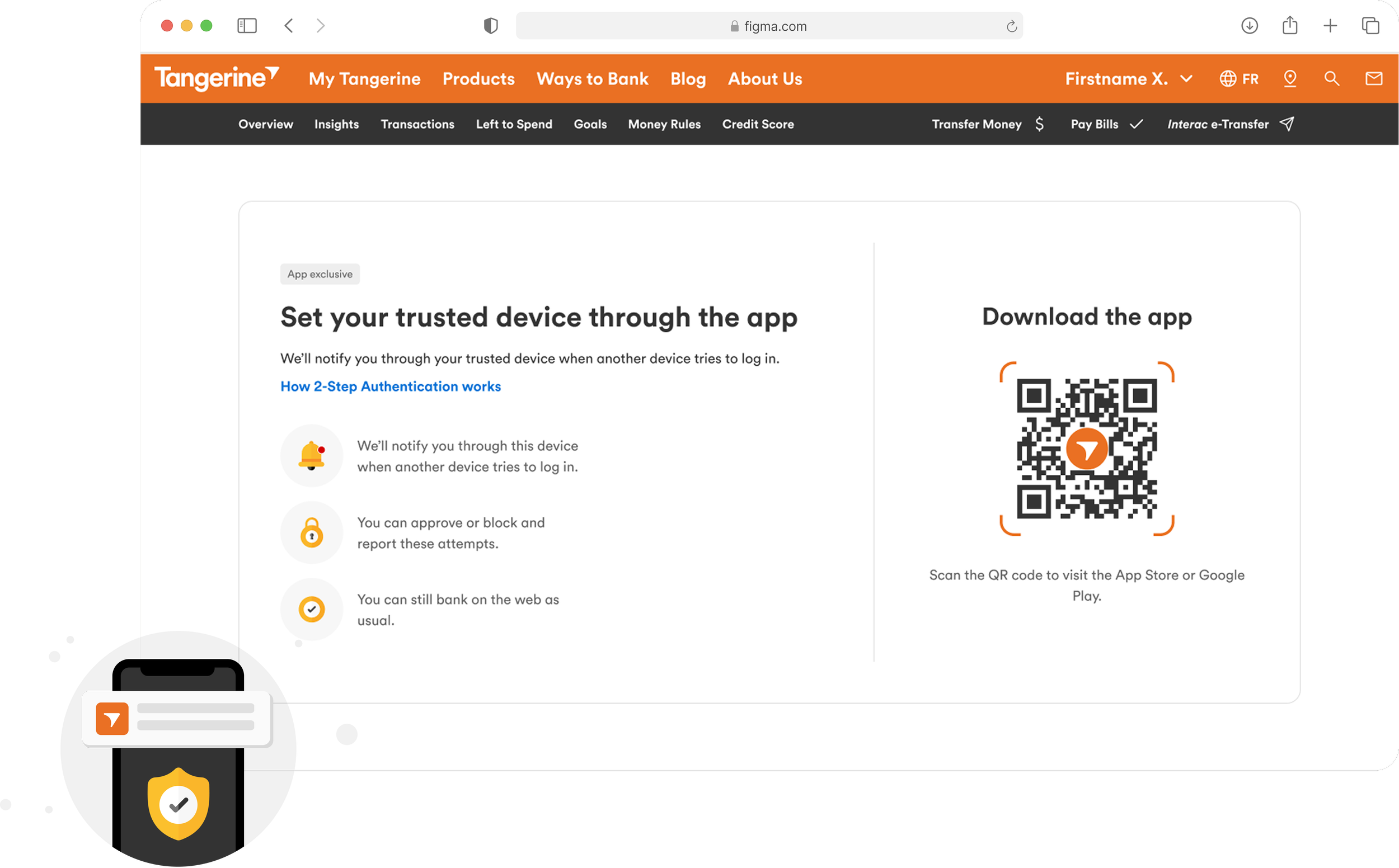
2 Step Verification (2SV) at Tangerine
E2E implementation of trusted device push notifications
Tangerine: Securing User Login Experience
Client accounts solely relied on security questions and one-time passcodes (OTP). While familiar, these methods were increasingly vulnerable to social engineering, phishing, and fraud.
To meaningfully raise the security bar, we introduced the concept of a Trusted Device: a mobile device that clients could use to approve or deny login attempts from untrusted devices, such as web browsers or additional phones.
TIMELINEOCT 2024 - JAN 2026
TEAM2 Designers, 2 Squads
ROLEWeb Design Lead
SKILLSFigma, Omni Channel Design
As a Web UX Designer, my primary responsibility was ensuring that clients signing in on the web could do so securely, while collaborating with the native mobile team to design the approval experience on trusted devices.
I lead the user journey to create a secure login experience, focusing on an omni-channel lens perspective
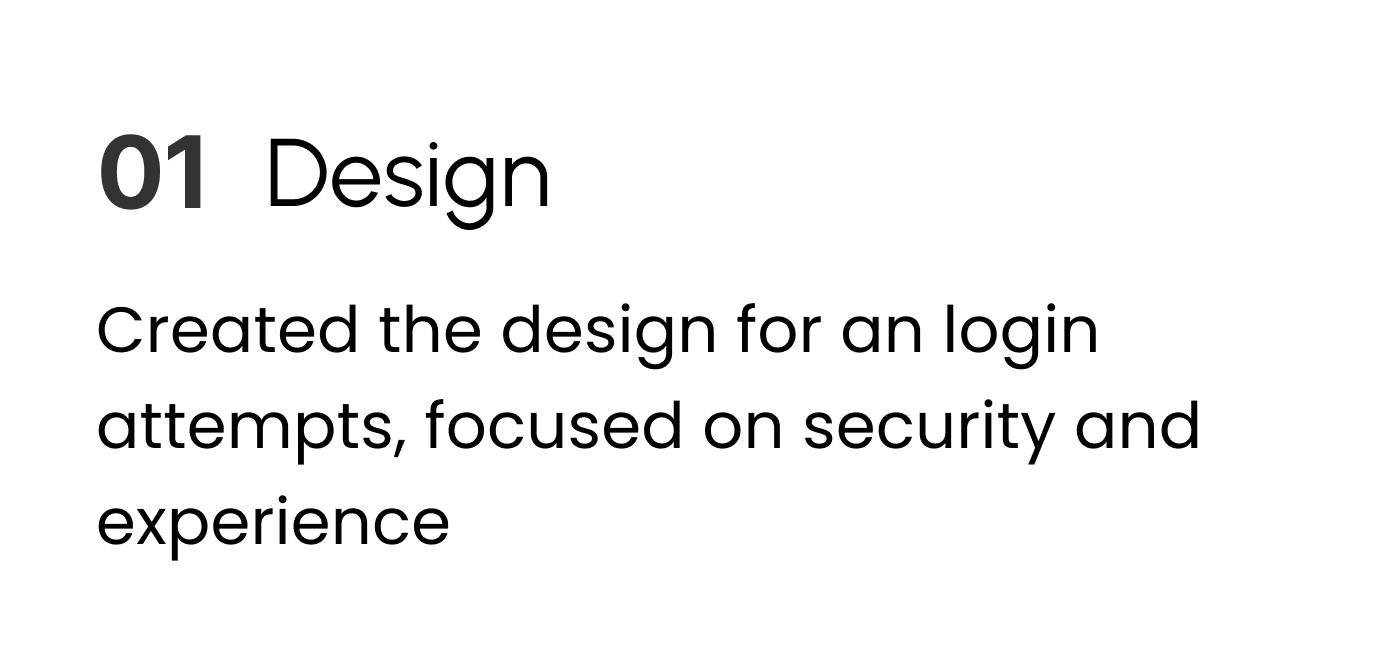
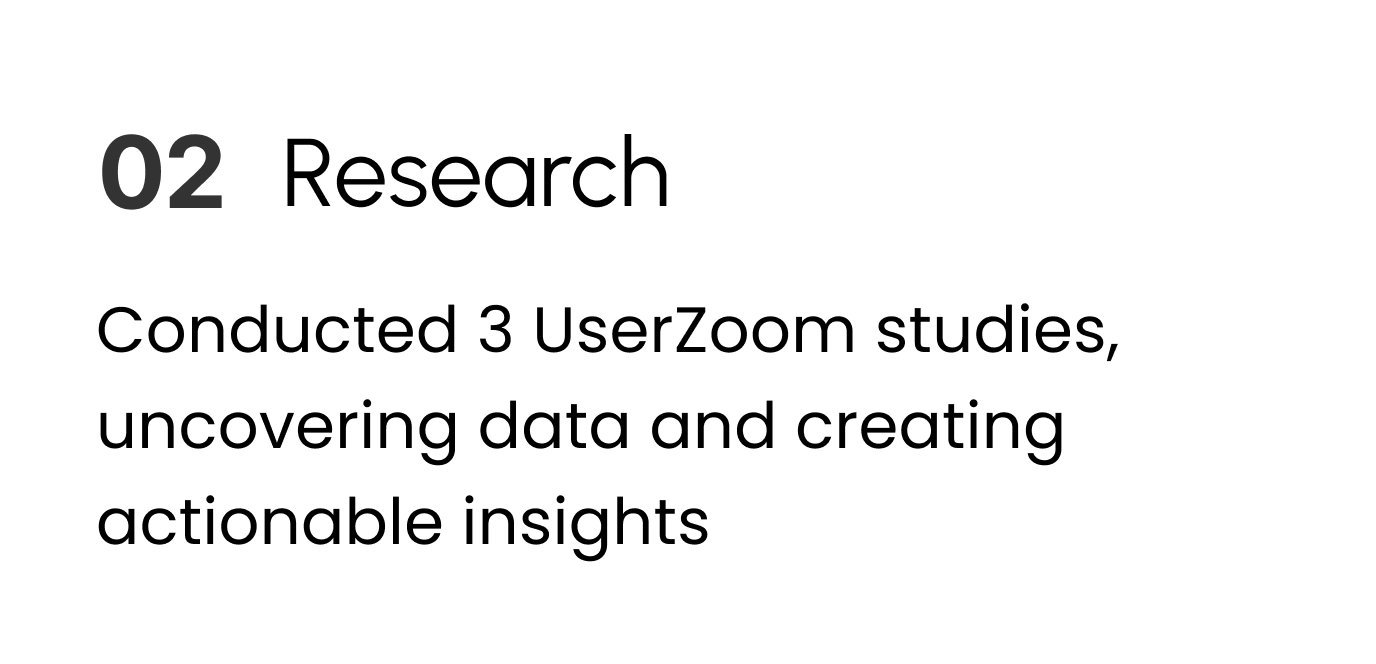
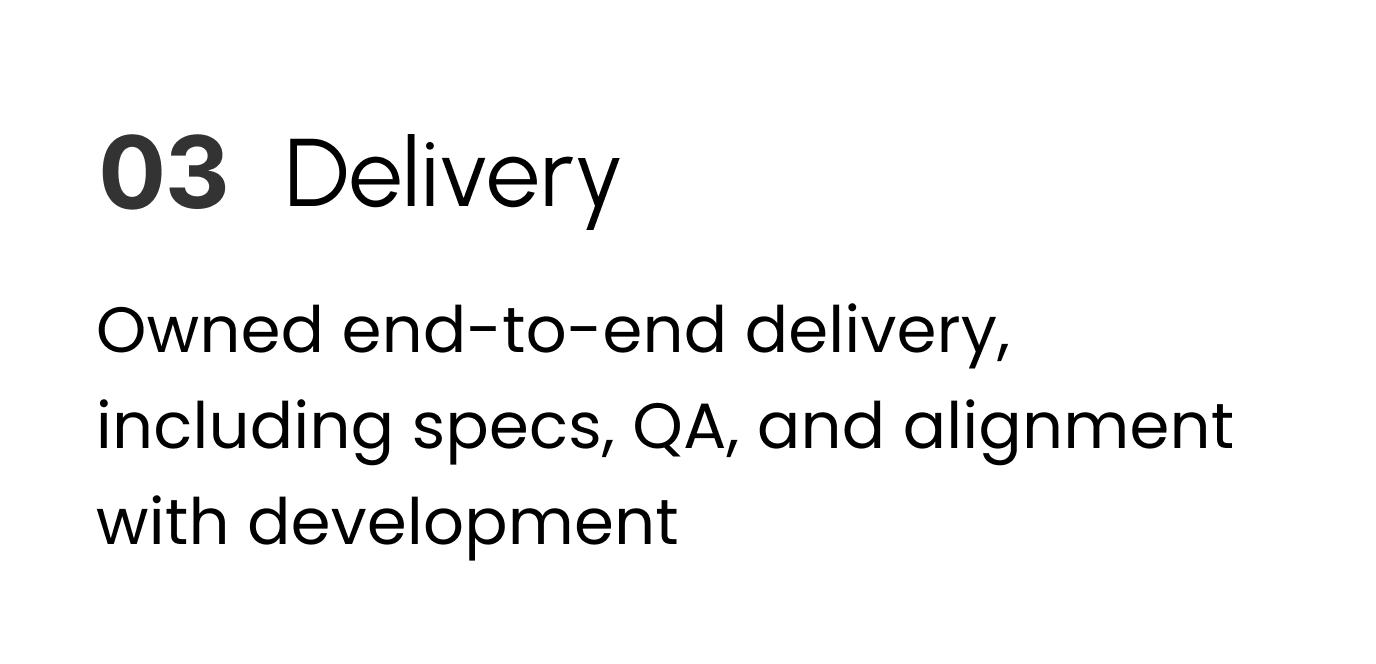
TLDRWorking closely with the Native mobile team, I focused on the end-to-end journey for users signing in from a non-trusted and trusted device. Several of my accomplishments included:
THE DESIGN CHALLENGE
How might we improve account security while keeping login simple and intuitive?
Designing for Every Path, Not Just the Happy One
PROJECT COMPLEXITYSecurity design means planning for what goes wrong. This project was intentionally exhaustive. Beyond the happy path, we designed for failure, hesitation, confusion, and misuse.
From a mobile perspective, journeys included:
Logging in with a trusted device
Approving login from a non-trusted device
Identity verification
Login attempt reporting
Notification expiry and timeout
First-time login post-onboarding
Forced migration scenarios
From a web perspective, flows included:
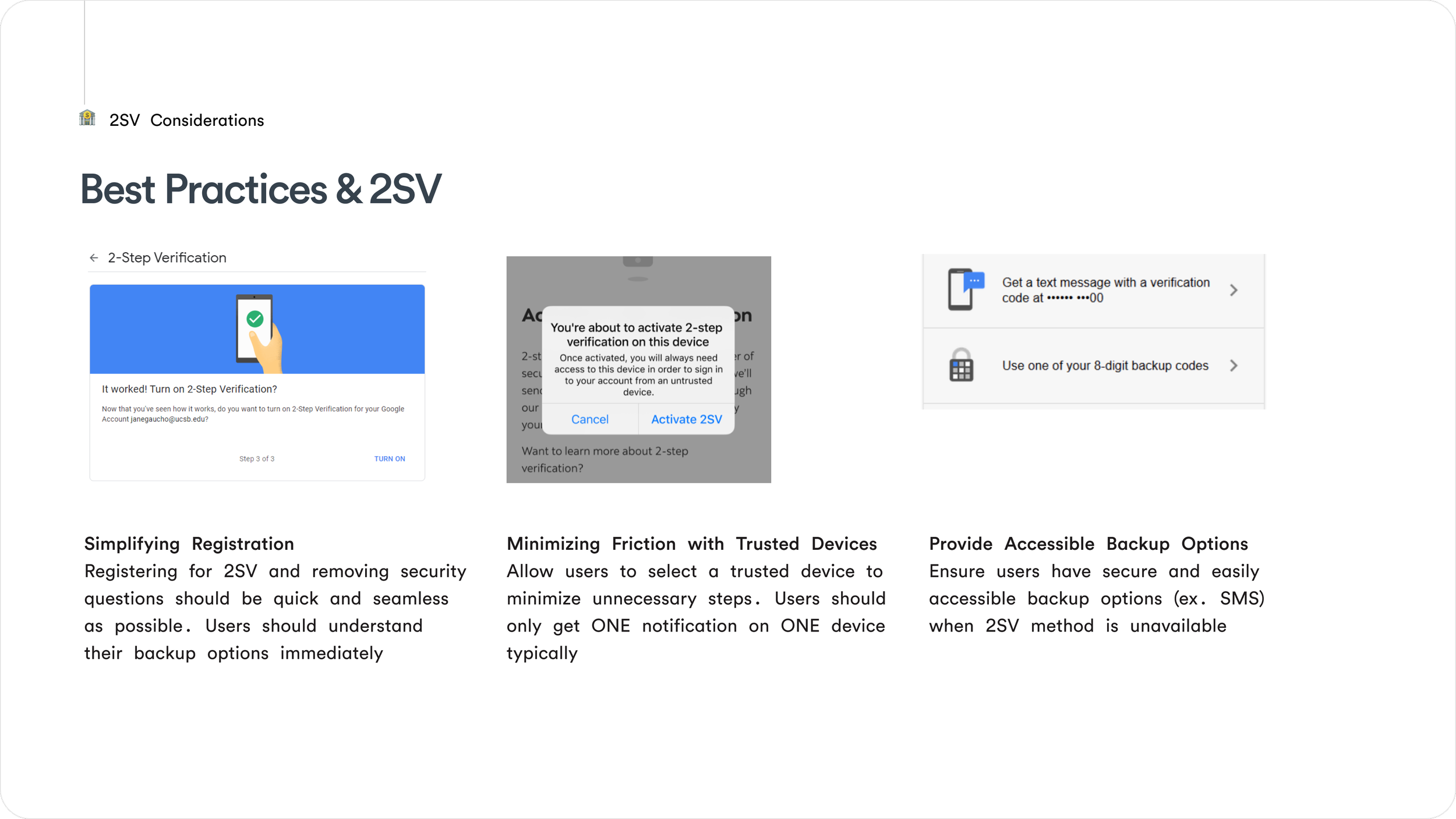
Remembering trusted devices to reduce friction
Signing in from non-trusted devices
Surfacing different login options (biometrics, previous devices)
Managing trusted devices in settings
Removing and decommissioning devices
Supporting organic migration from profile & settings
Providing fallback authentication via OTP
Learning From Banks and Industry Leaders
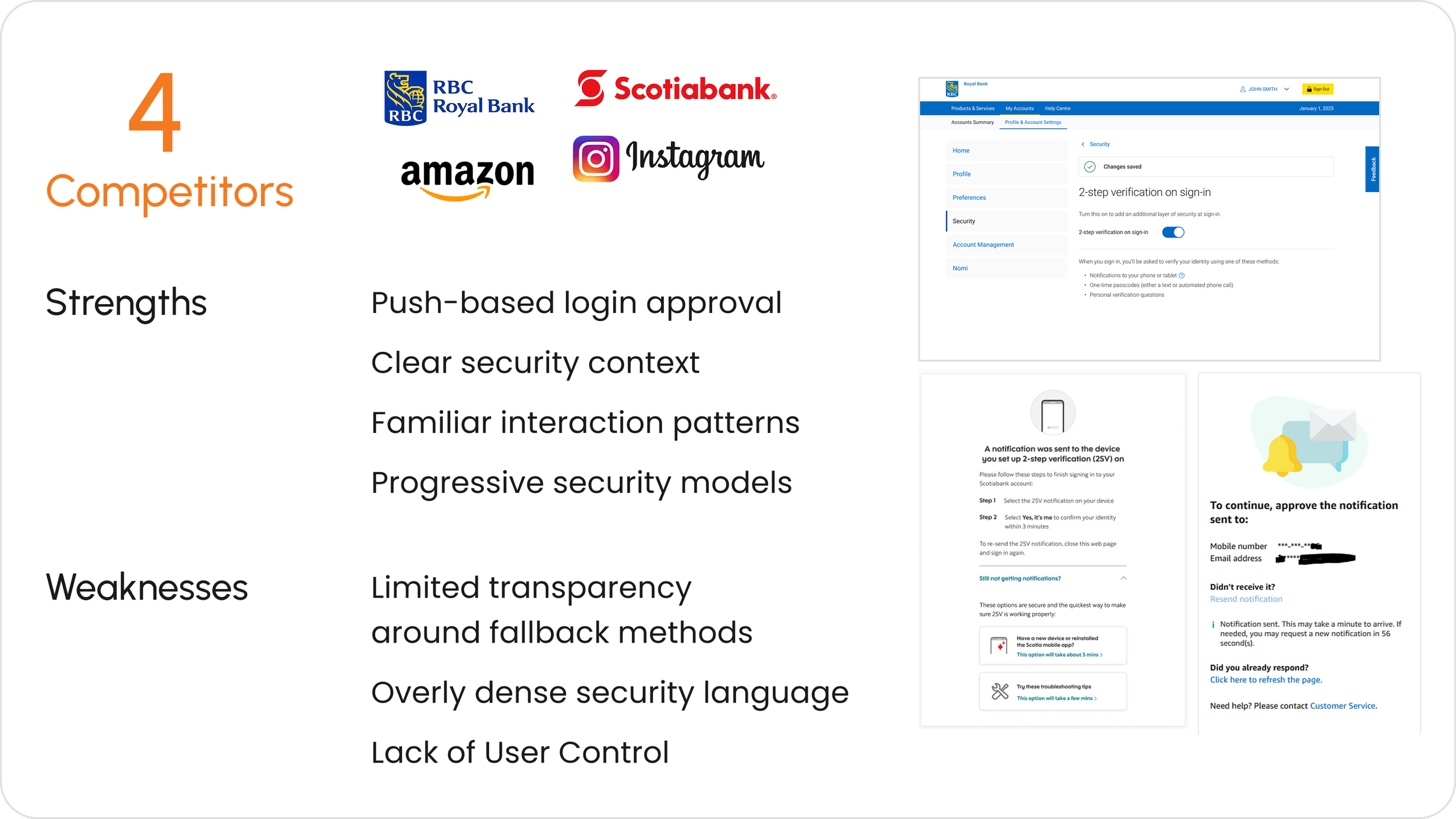
MARKET RESEARCHI began with a competitive analysis across Canadian banks, including RBC and Scotiabank, to understand how trusted devices were currently implemented in regulated financial environments.
To push the thinking further, I also analyzed consumer tech leaders like Instagram and Amazon, who have set strong precedents for push-based login approvals, clear security language, and calm, confidence-building UX.
ALIGNMENT WORKSHOP & EDUCATIONYou can’t design what people don’t understand. Before jumping into solutions, I facilitated a workshop on Miro/Figjam to align stakeholders and teams on:
What Two-Step Verification actually means
What a trusted device is (and is not)
How approval-based login differs from OTP
What risks that we are solving for
Defining Trusted Devices as a Team
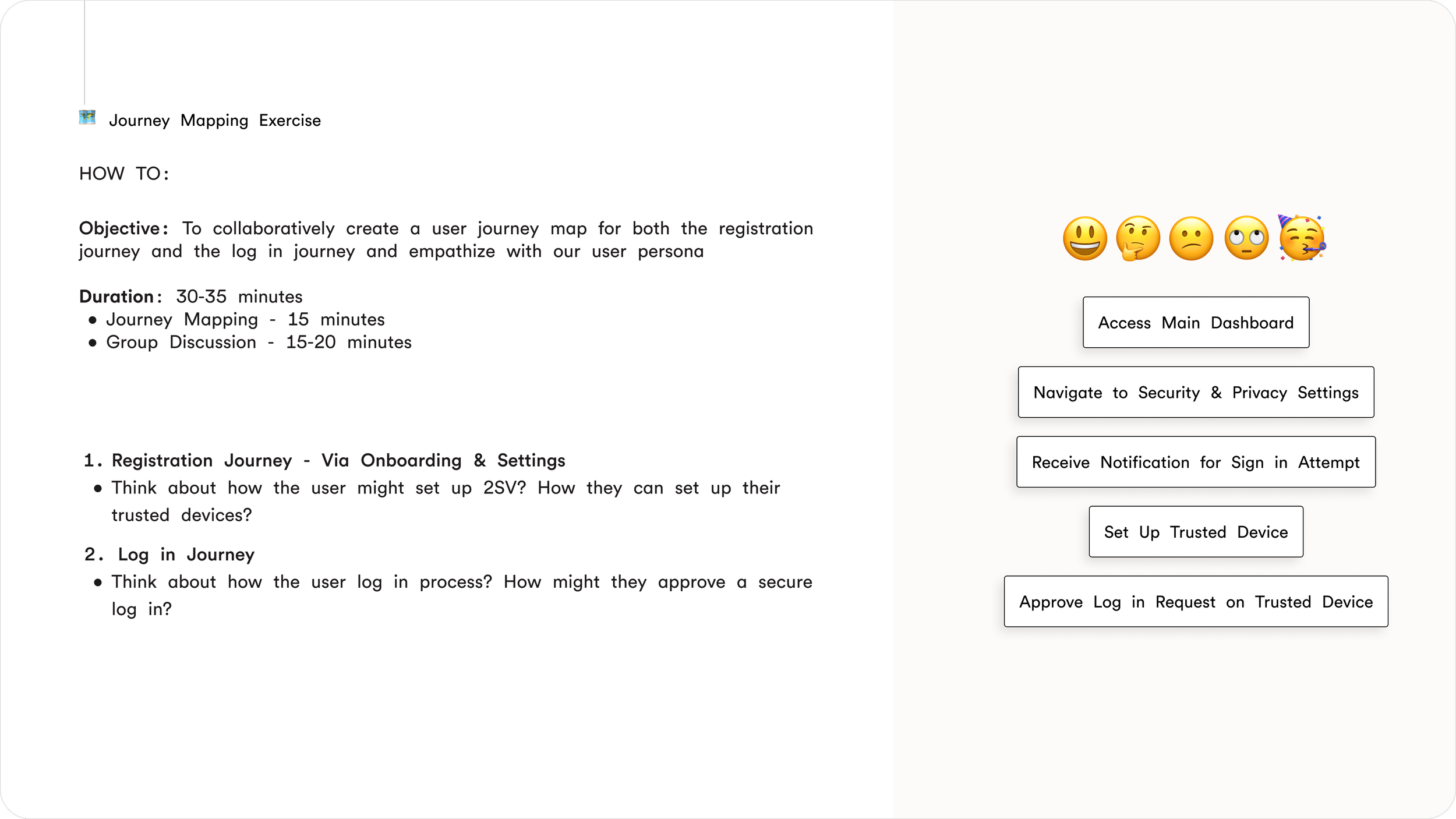
IDENTIFYING USER JOURNEYSSeparating Login From Management Experiences
As the project evolved, it became clear that treating “login” as a single experience would oversimplify the problem. Users approached security with very different mindsets depending on what they were trying to do.
I identified two primary user journeys that needed to be designed separately:
Login & approval journeys: time-sensitive, stress moments where users are trying to access their account or confirm whether an attempt is legitimate
Manage & edit journeys: slower, intentional moments where users want visibility and control over their trusted devices and security settings
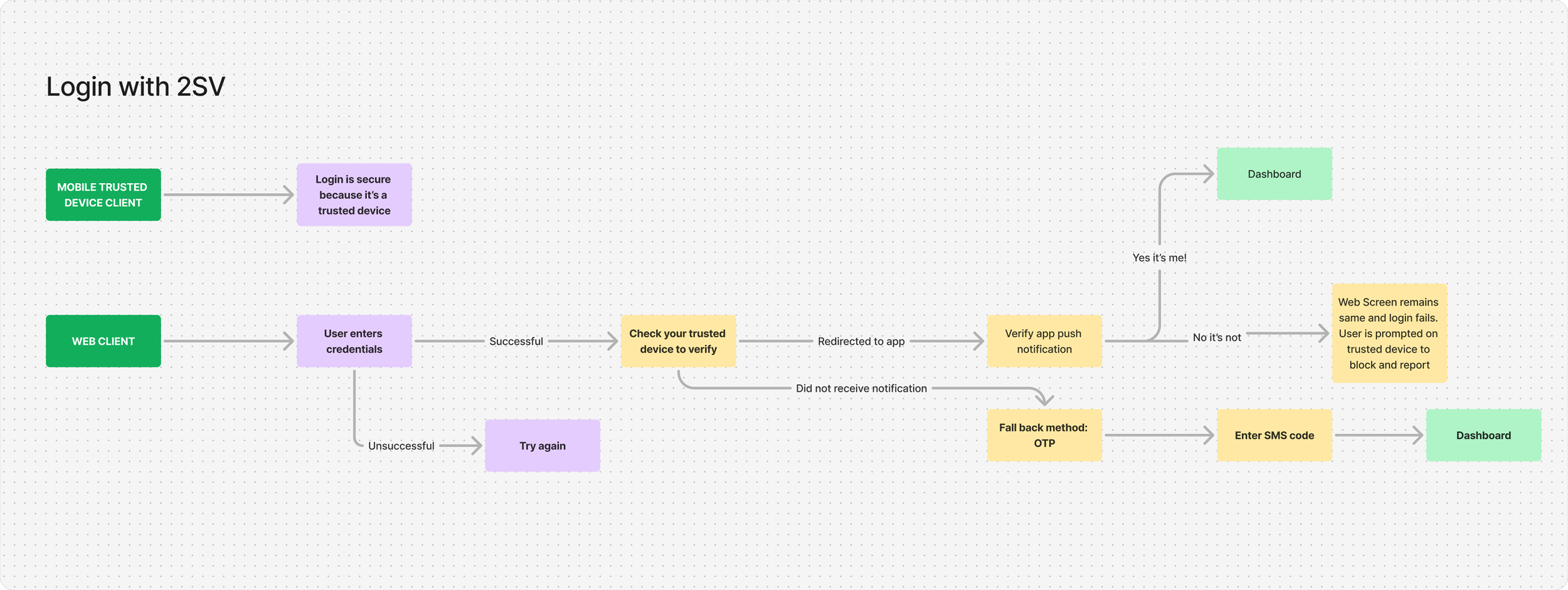
Login & approval journey
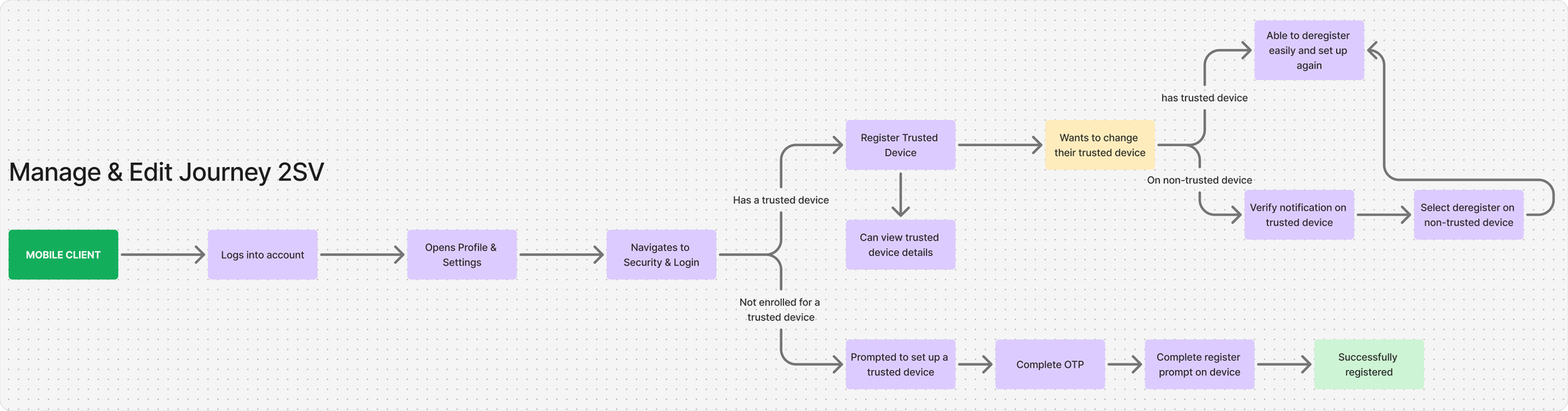
Manage & edit journey
EARLY CONCEPT IDEATIONBefore committing to a single solution, I explored multiple ways trusted device approval could be introduced across web and mobile. With the core journeys defined, I moved into early ideation to explore how approval-based login could work in practice.
Exploring How Trust Could Work
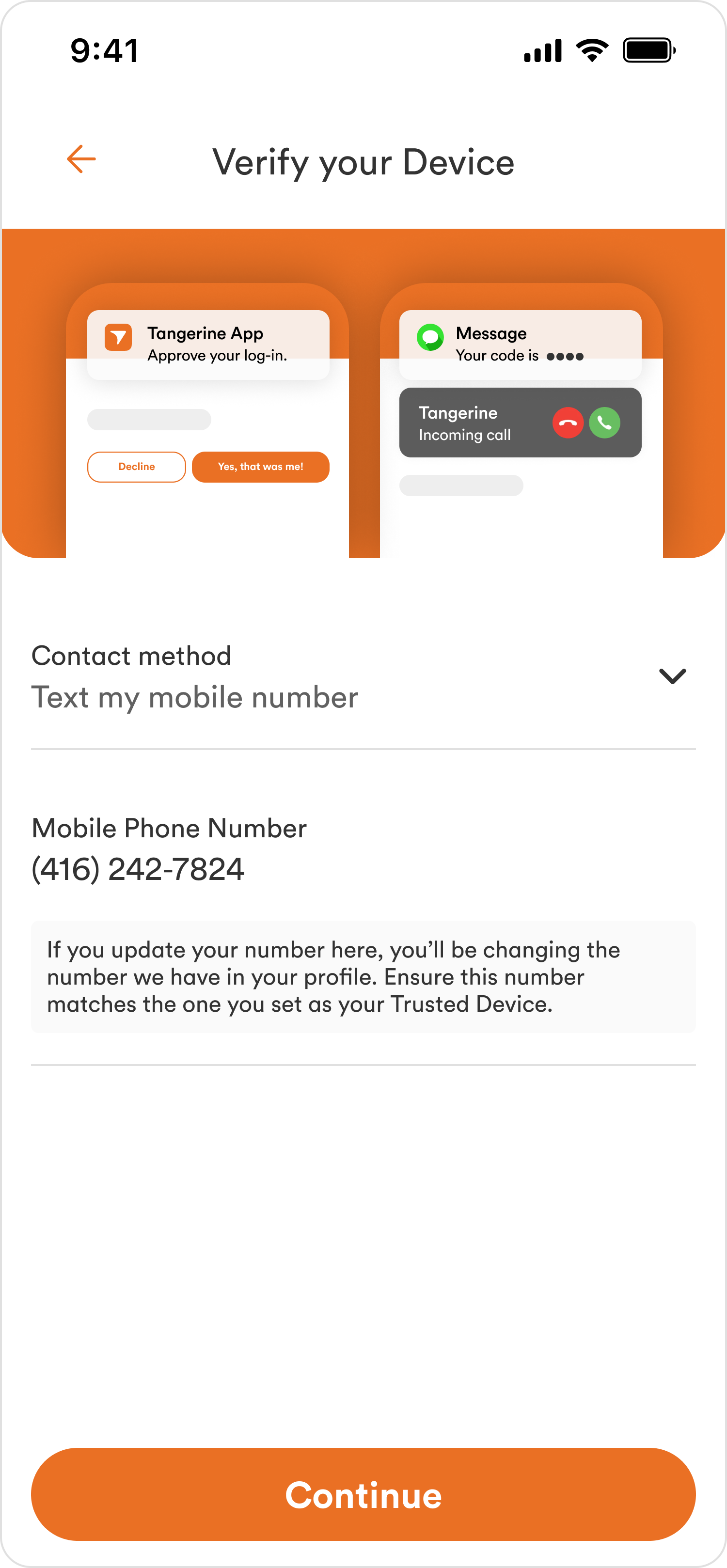
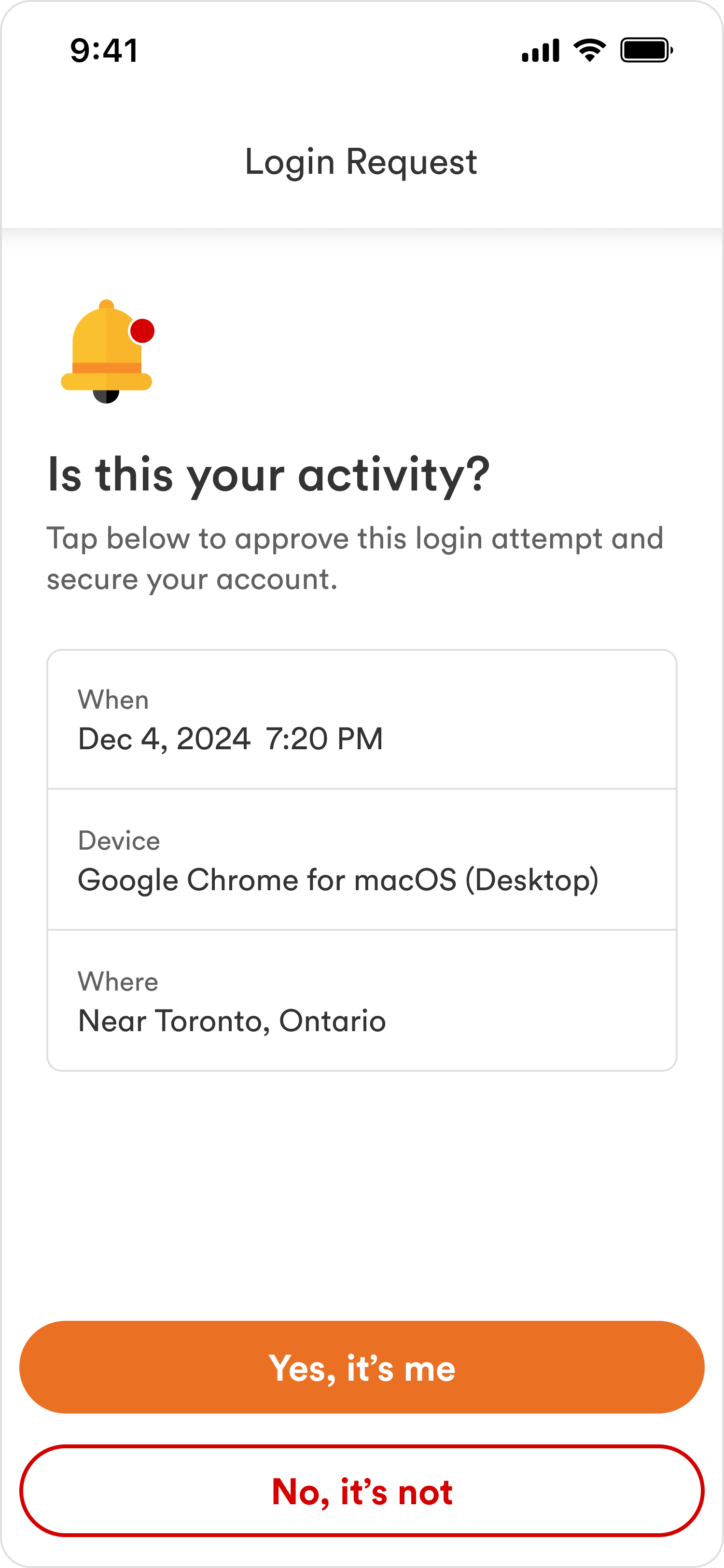
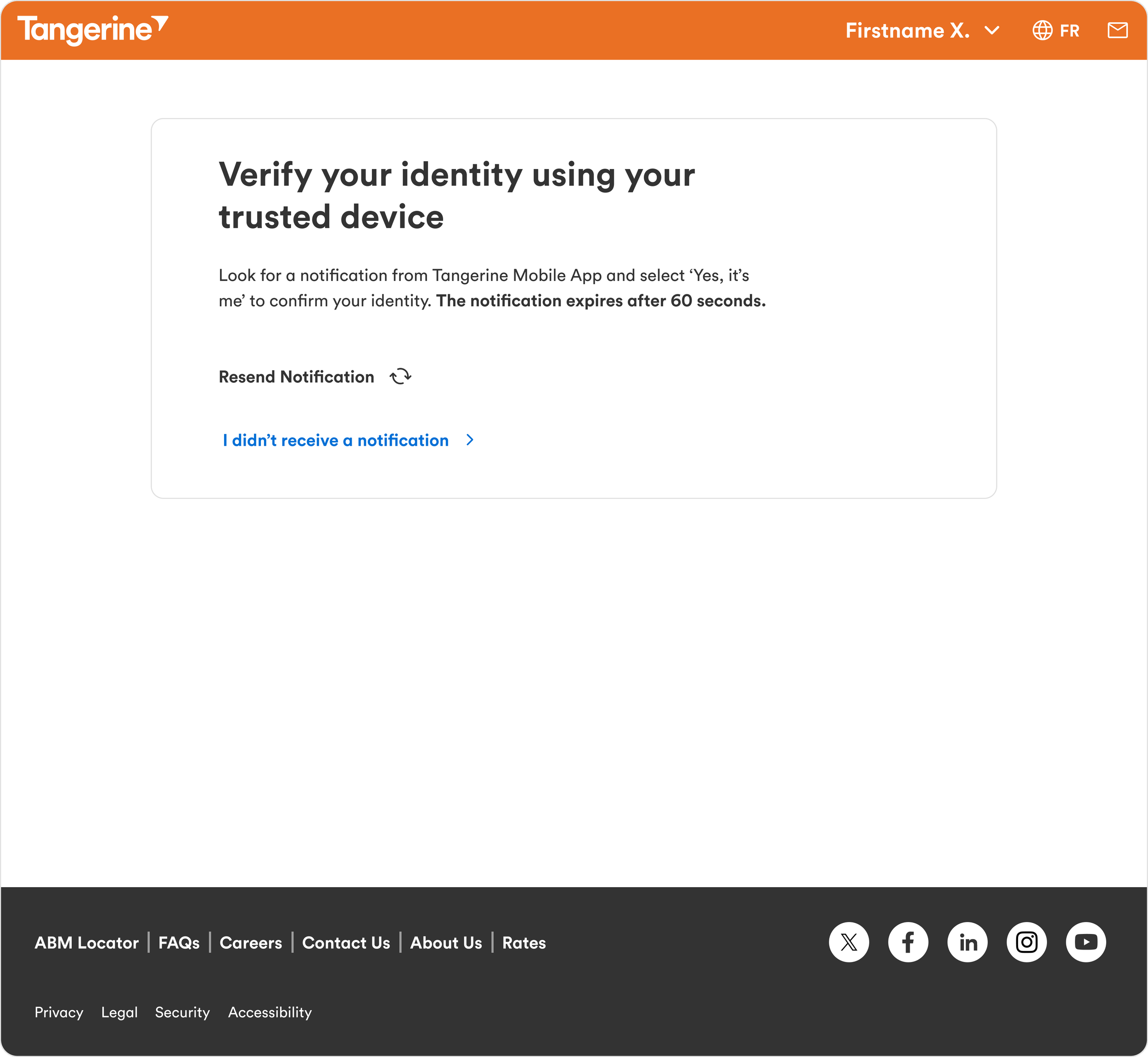
At this stage, the focus wasn’t polished UI. I was focusing on:
How approvals should be delivered
How much context users need to feel confident
How to guide users through fraud without overwhelming them
I created med-fi designs and prototyped multiple concepts across web and mobile, testing different levels of visibility, copy tone, and user control to understand what felt intuitive versus intrusive.
These early explorations helped narrow the design direction before investing in high-fidelity work.
Testing for Clarity and Confidence
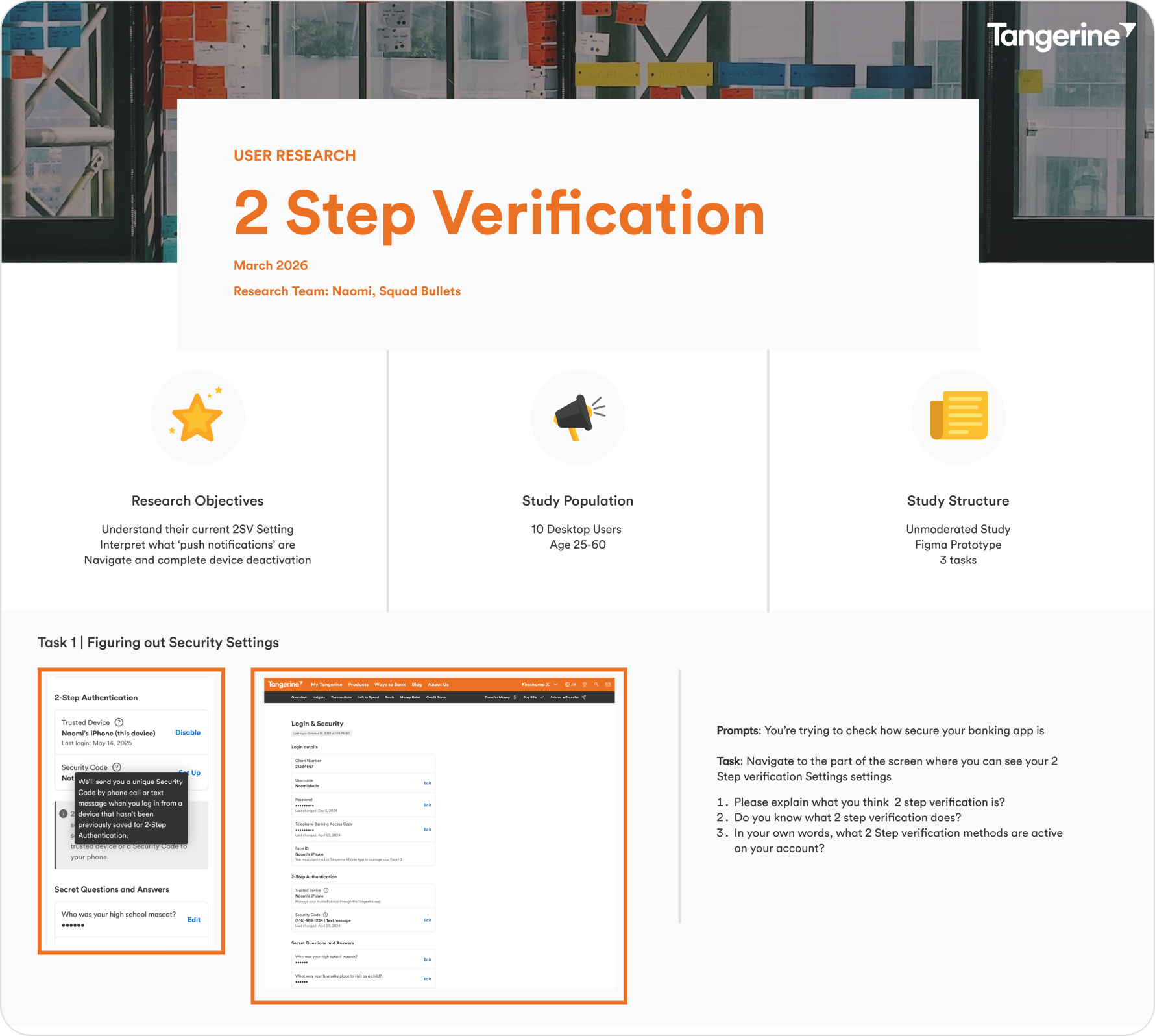
USER TESTING & VALIDATIONTo validate early concepts, I ran UserZoom studies focused on comprehension, confidence, and decision making.
From this research, a few clear insights emerged:
Tooltip
Discovery
Users instinctively used the tooltip for additional context around trusted devices
Push notifications were immediately understood as the approval mechanism
Push Approval Comprehension
Users knew how to deregister and recognized OTP as the fallback method
OTP Fallback Awareness
KEY JOURNEYSBringing the Trusted Device Experience to Life
With validated journeys and refined direction, I moved into high-fidelity designs that brought the trusted device experience to life across web and mobile. These designs reflect the final, end-to-end flows for login, approval, and trusted device management.
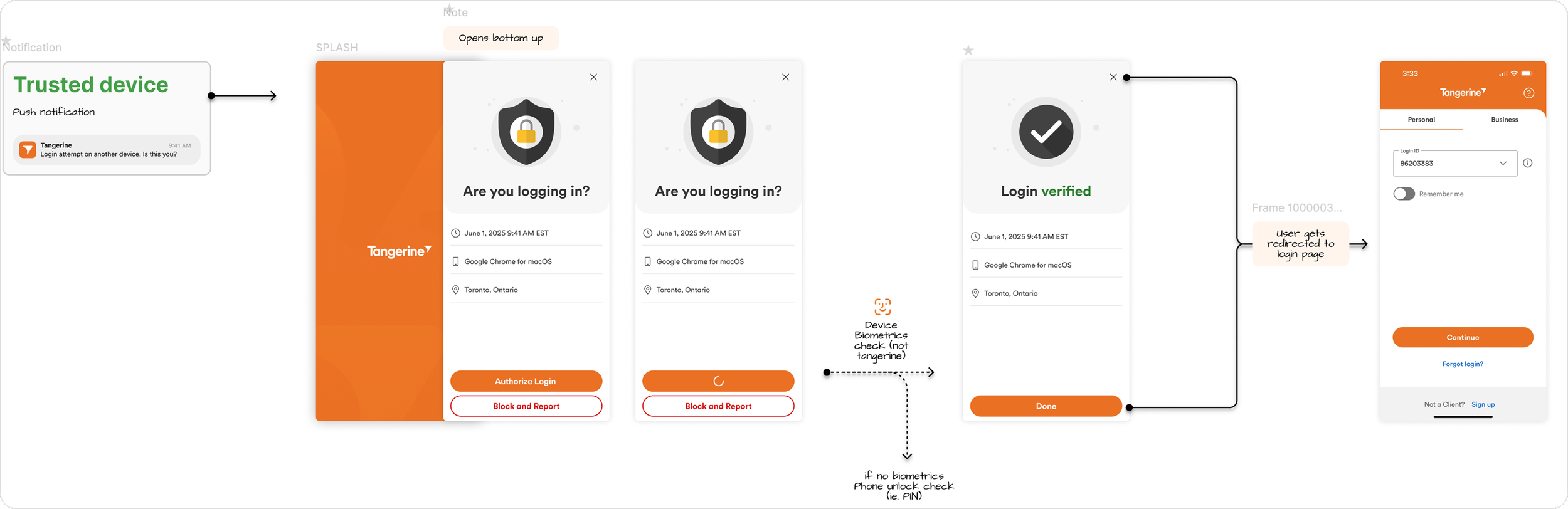
Login Attempt Happy Path
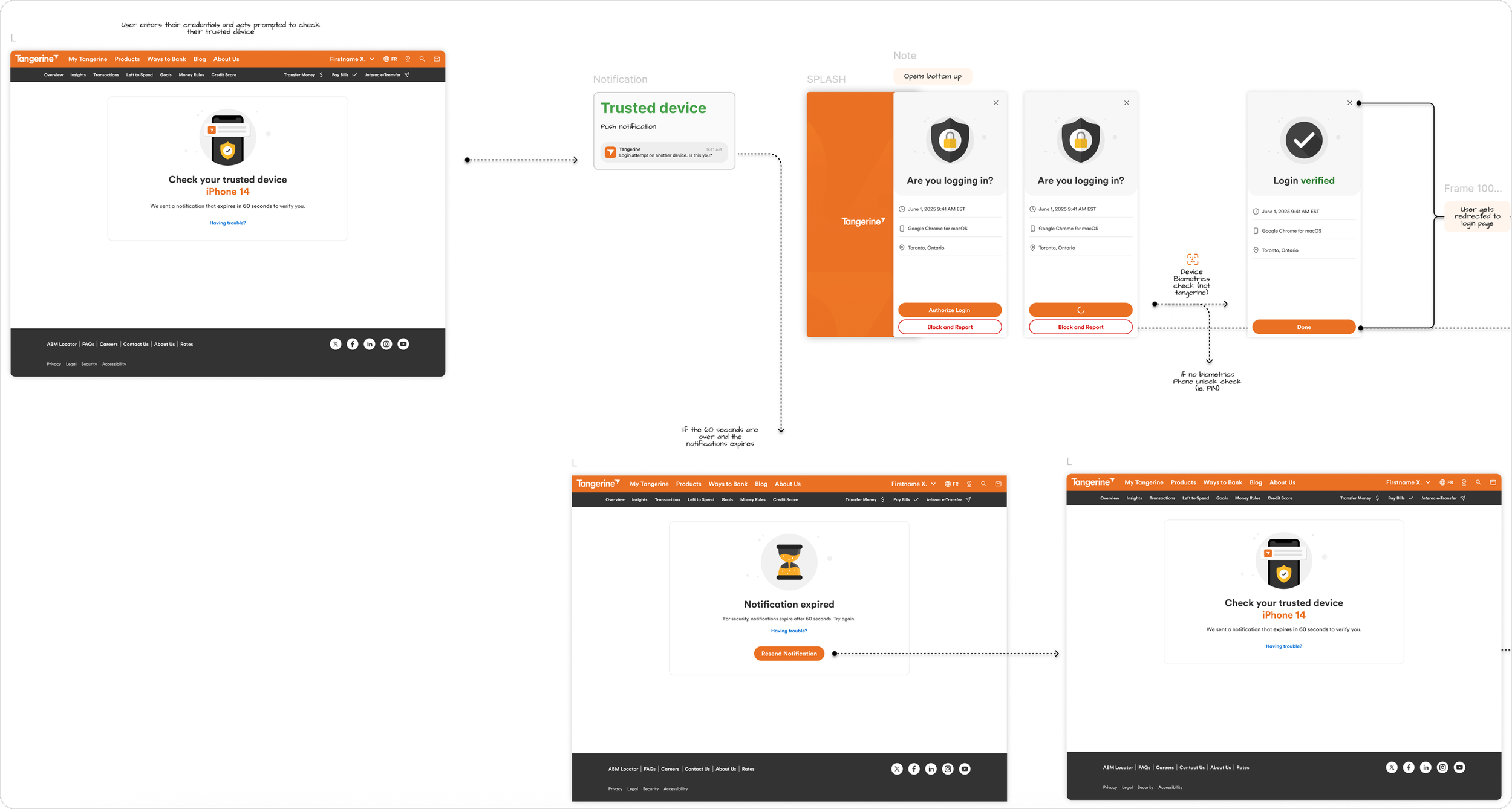
Login Attempt Web Clients
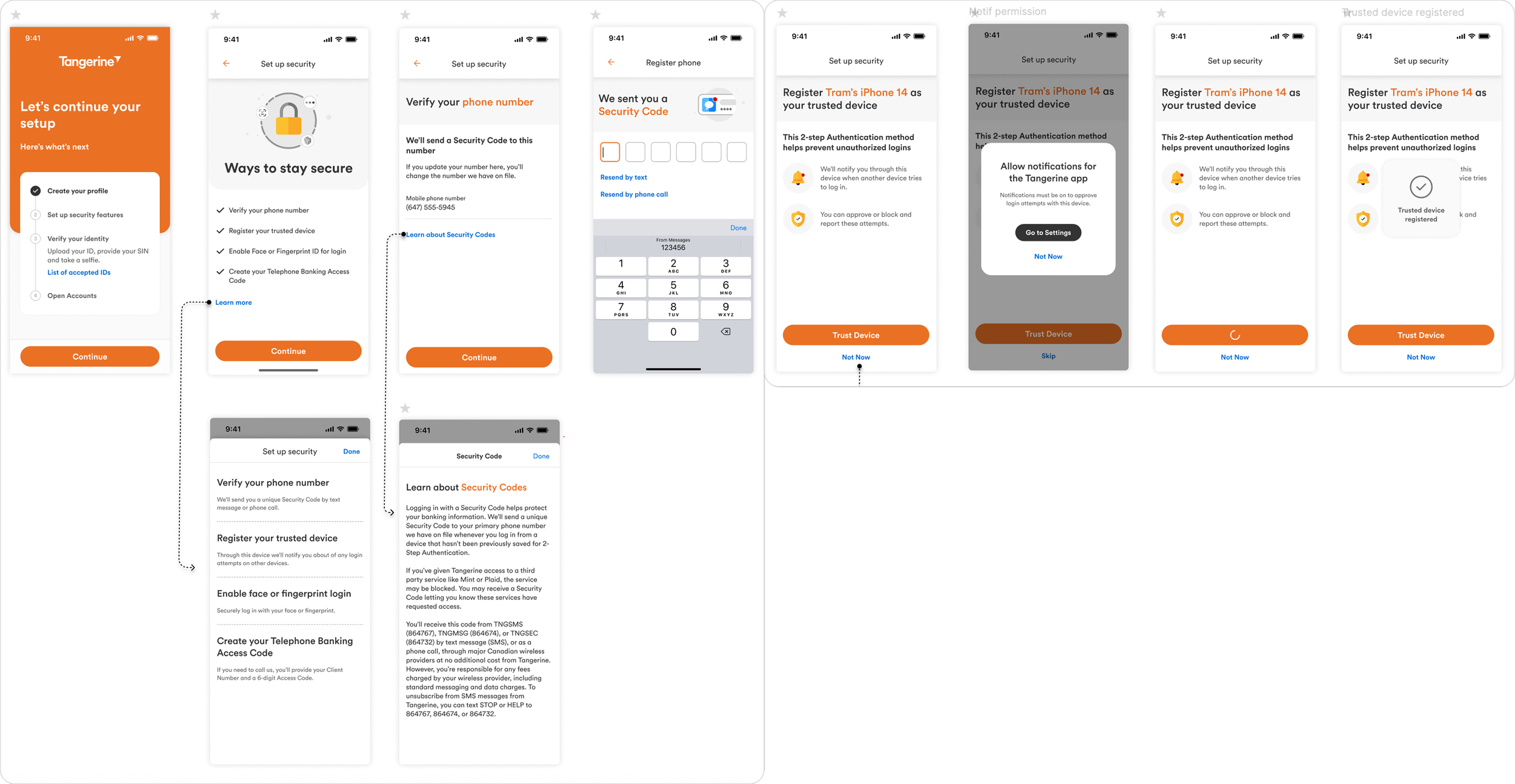
Onboarding First Time Users
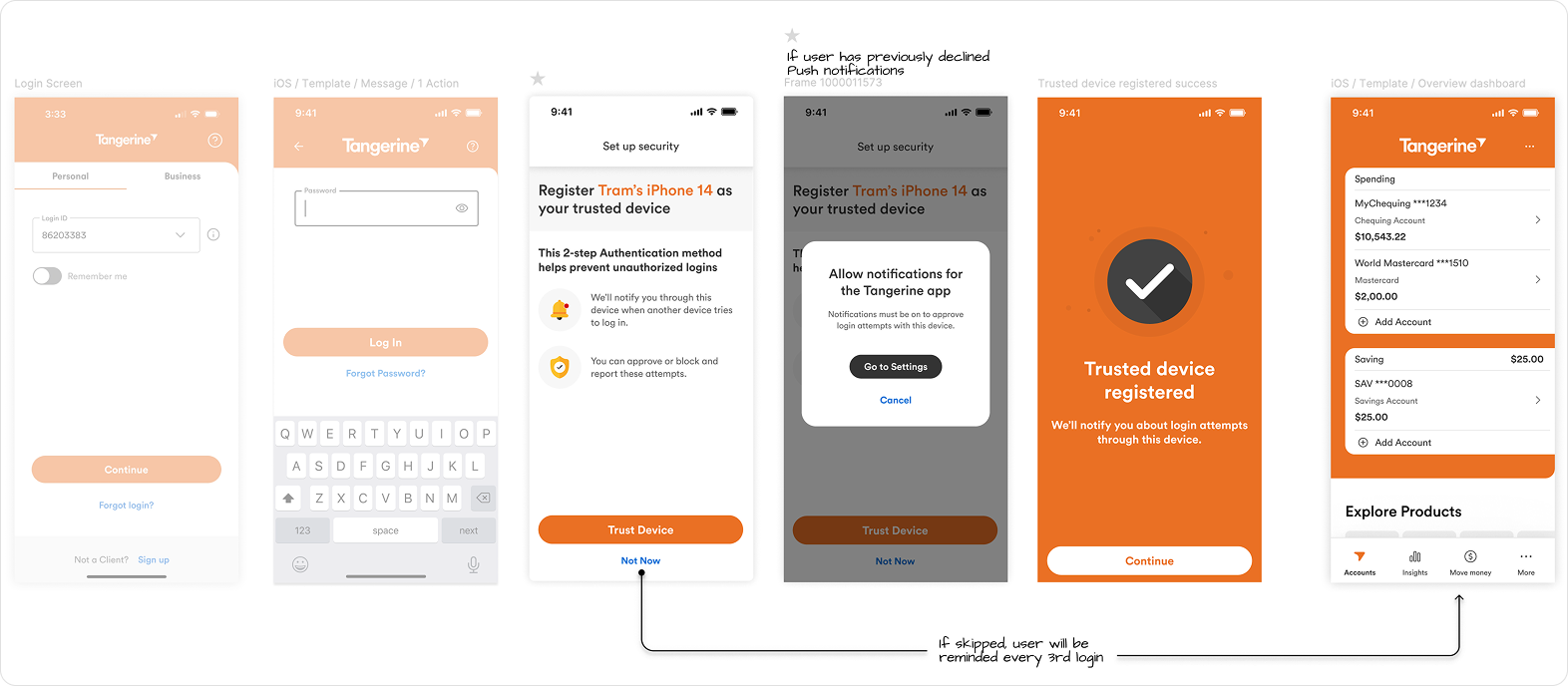
Onboarding Existing Clients
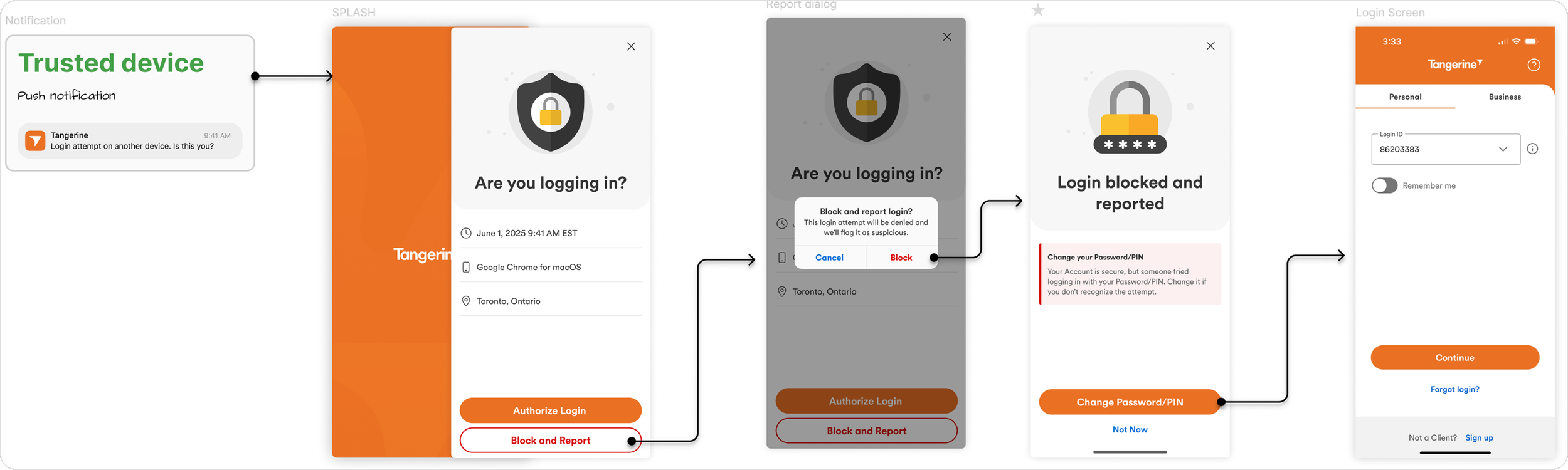
Block & Report Login Attempt
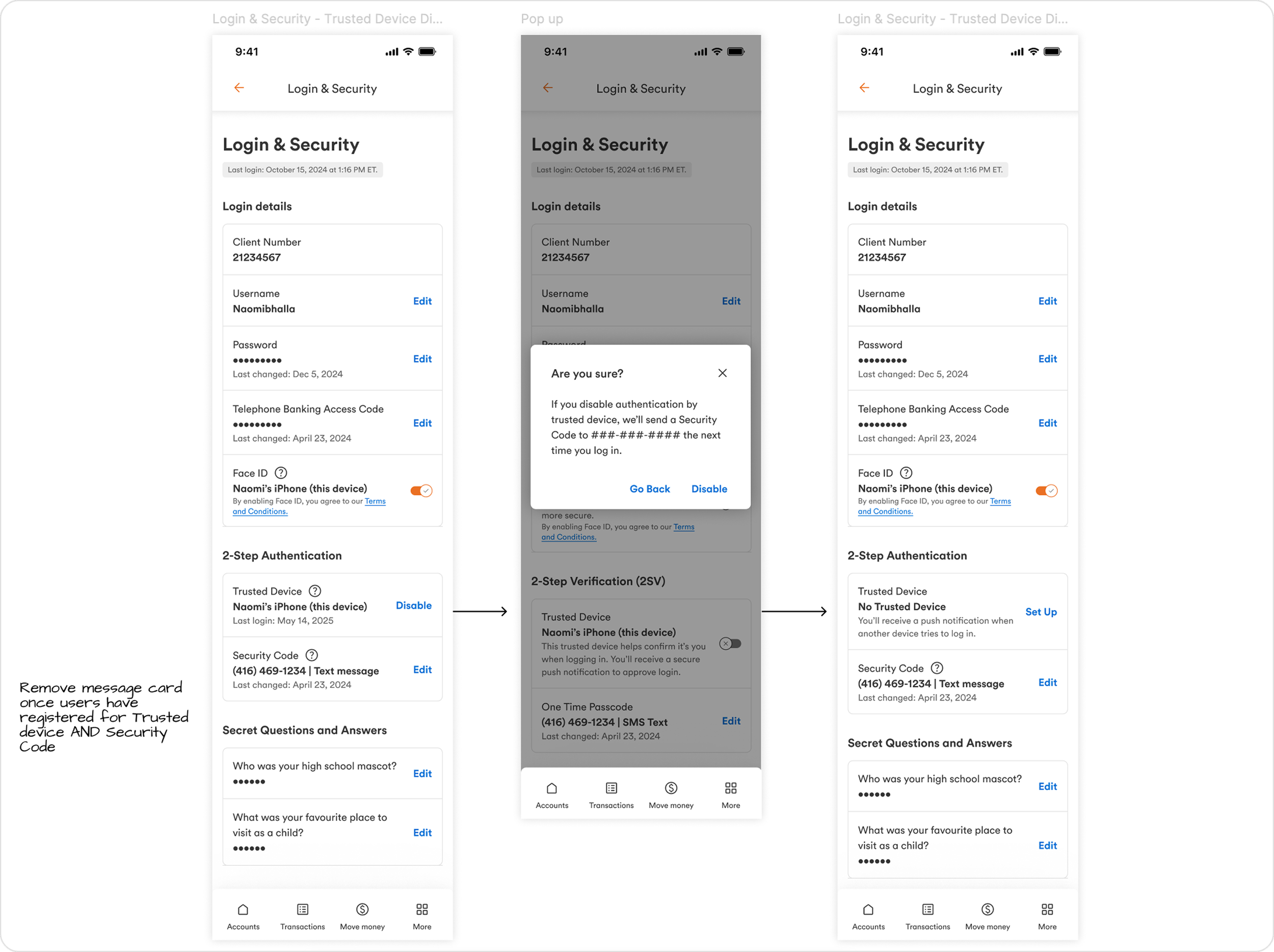
Set Up & Deregister 2SV
As the experience moved into development, I worked closely with our dev team to ensure the final implementation matched the intended design across web, as that was my primary squad.
Protecting the Design in Development
QA & DELIVERYI led QA efforts across trusted device registration, approval flows, notifications, and settings management, validating edge cases, error states, and platform handoffs.
Through testing, I identified gaps between design and implementation and worked with developers to standardize behaviors and align patterns with documented specs.
To support a smooth handoff and long-term scalability, I delivered annotated specs outlining states, logic, and dependencies, ensuring the experience could evolve without compromising security or usability.
WHAT I LEARNED 📖 01. Security UX is about reducing anxiety, not just protection
I learned that strong security isn’t felt through more steps, but through clarity and reassurance. When users understand what’s happening and why, they’re far more confident, especially in high-stress moments like login attempts.
02. Omni-Channel based projects require end-to-end mapping
Designing web and mobile in isolation creates gaps users feel immediately. This project reinforced the importance of end-to-end, omni-channel thinking, especially when a single action spans multiple devices and contexts.
03. Comprehension matters more than completion
I learned that in security-critical flows, it’s not enough for users to finish a task. They need to understand what’s happening and what their choices mean, as it affects their sign-in process every time they return.